Redesigning Comcast’s in-store customer check in experience
Balancing operational efficiency with a better frontline employee experience

Challenge
As Comcast’s in-store services evolved, Retail 360 struggled to keep pace. Outdated workflows and fragmented experiences made it harder for employees to identify customers, complete tasks, and deliver consistent service.
1
Objective
2
Defining the experience
3
Our Approach
4
Design execution
5
Impact
1
What we set out to achieve


Objective
The goal of this project was to evaluate Comcast’s Retail 360 platform and redesign the in-store check-in experience to better support both customers and retail employees. The focus was on improving how customers are identified and tracked in-store, and how employees manage the full support journey from arrival to resolution.
Reduce friction in employee workflows
Surface the right information at the right moment
Create consistency across every touchpoint
2
Defining the experience
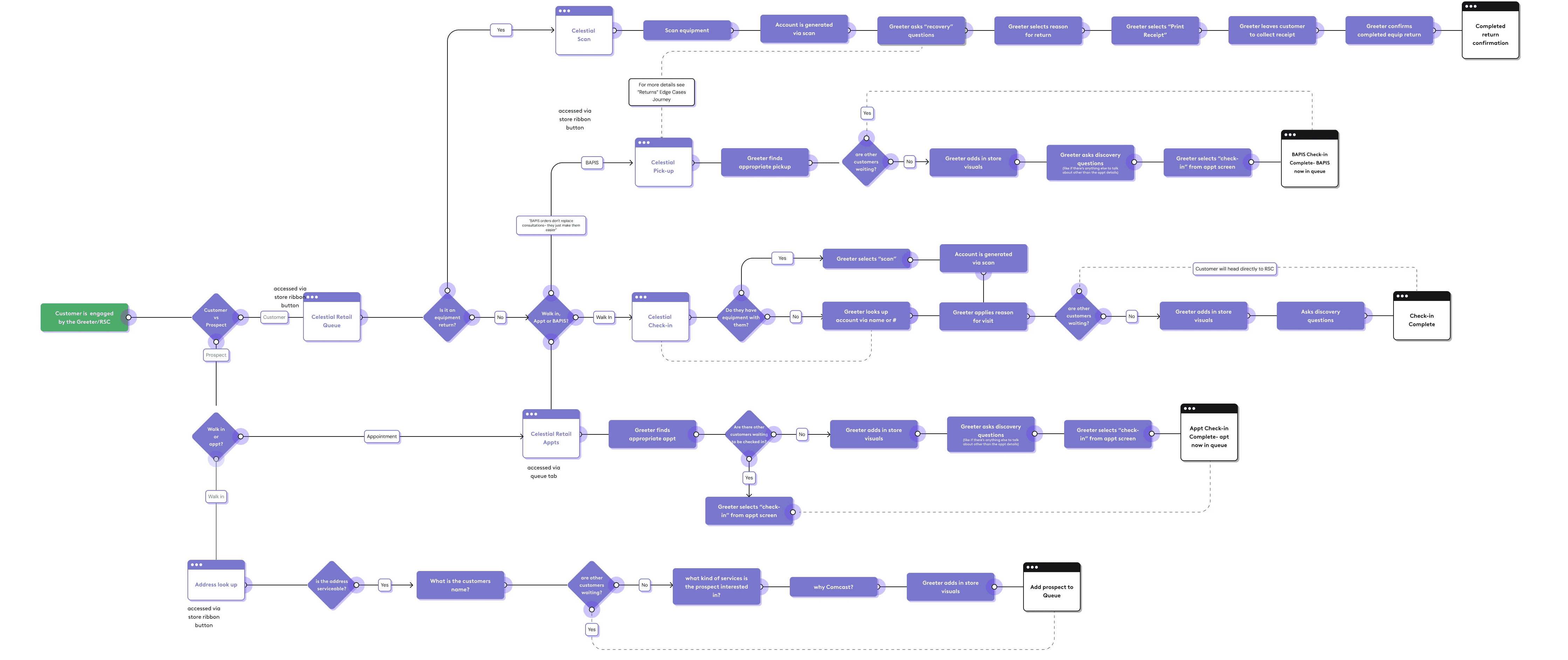
To tackle this, we identified and prioritized key friction points in the existing workflow, clarified the primary user needs of in-store staff, and restructured the information architecture to support flexible hierarchies. Below is the end-to-end user journey map we, research and myself, developed to better accommodate Comcast's new tasks like order pickup in store.
3
Our Approach
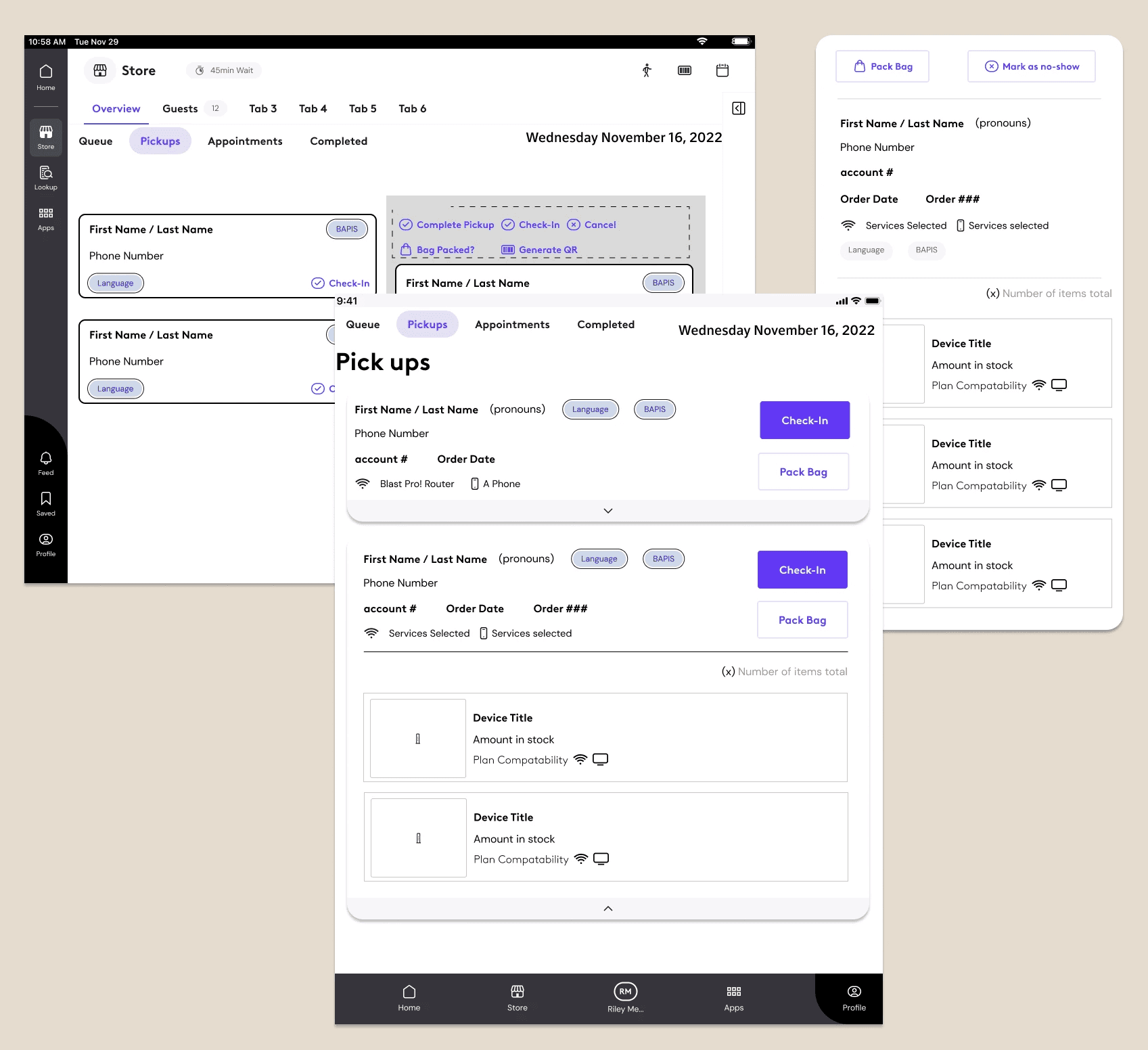
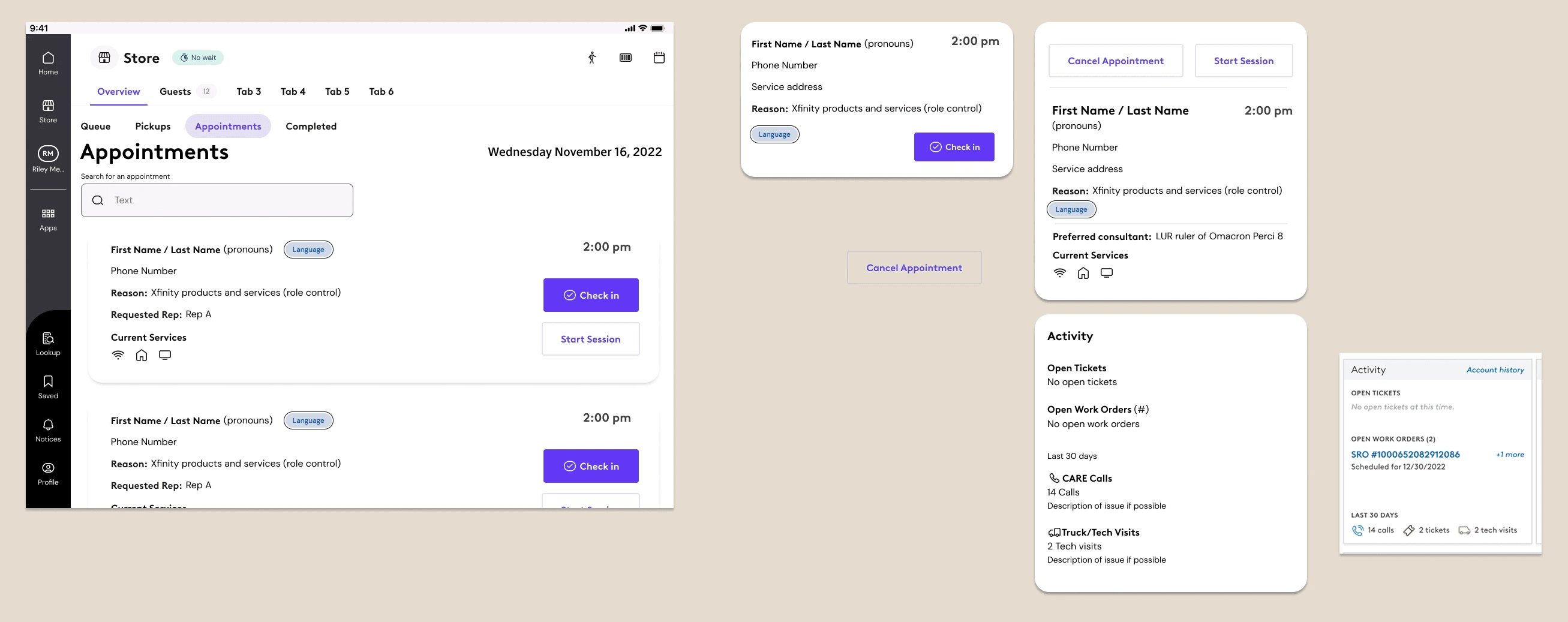
User research with in-store teams revealed that employees frequently rotate the tablet to share information directly with customers during interactions. To support this behavior, the app was designed to function seamlessly in both portrait and landscape orientations, ensuring continuity in the service experience regardless of how the device was used.

User needs
Quickly identify and check in customers
Access the right customer context at the right time
Quickly assess needs and determine the right support path
Maintain continuity across customer support experiences

“Sometimes it feels like we’re piecing together information from different places instead of having one clear view of the customer" - P02


Constraints
Competing stakeholder priorities
Compliance-driven workflows
Fragmented service ownership
Balancing public and private data
4
Design execution
We restructured information flows at a journey level to better align the customer account system (Einstein 360) and in-store app (Retail 360). By improving how customer context transferred between systems, employees spent less time re-collecting information, creating a more seamless experience and increasing confidence for both employees and customers.



Empowering customer interactions
We focused on giving employees the context they needed to create smoother customer interactions. By surfacing key information, like the reason for visit and queue expectations, before conversations began, employees could better understand customer needs, provide more informed support, and reduce repetitive questions and frustration.

Impact
Increased Customer Throughput
We reduced the amount of waiting time per customer on average of 2 minutes per customer.
Eliminated Order Pickup Frustration
We eliminated queue sign-ins for in stor order pickups. Enabling customers who were simply coming in to purchase or return an order to quickly complete that task without waiting in lines for service.
Increased context continuity
Customer context was often lost as people moved between touchpoints, forcing them to repeatedly explain their situation to each new agent. By carrying more of the customer’s story throughout the journey, we reduced unnecessary repetition and made transfers feel more seamless—for both customers and agents.
